 Math101 · Independent Ontario learning library
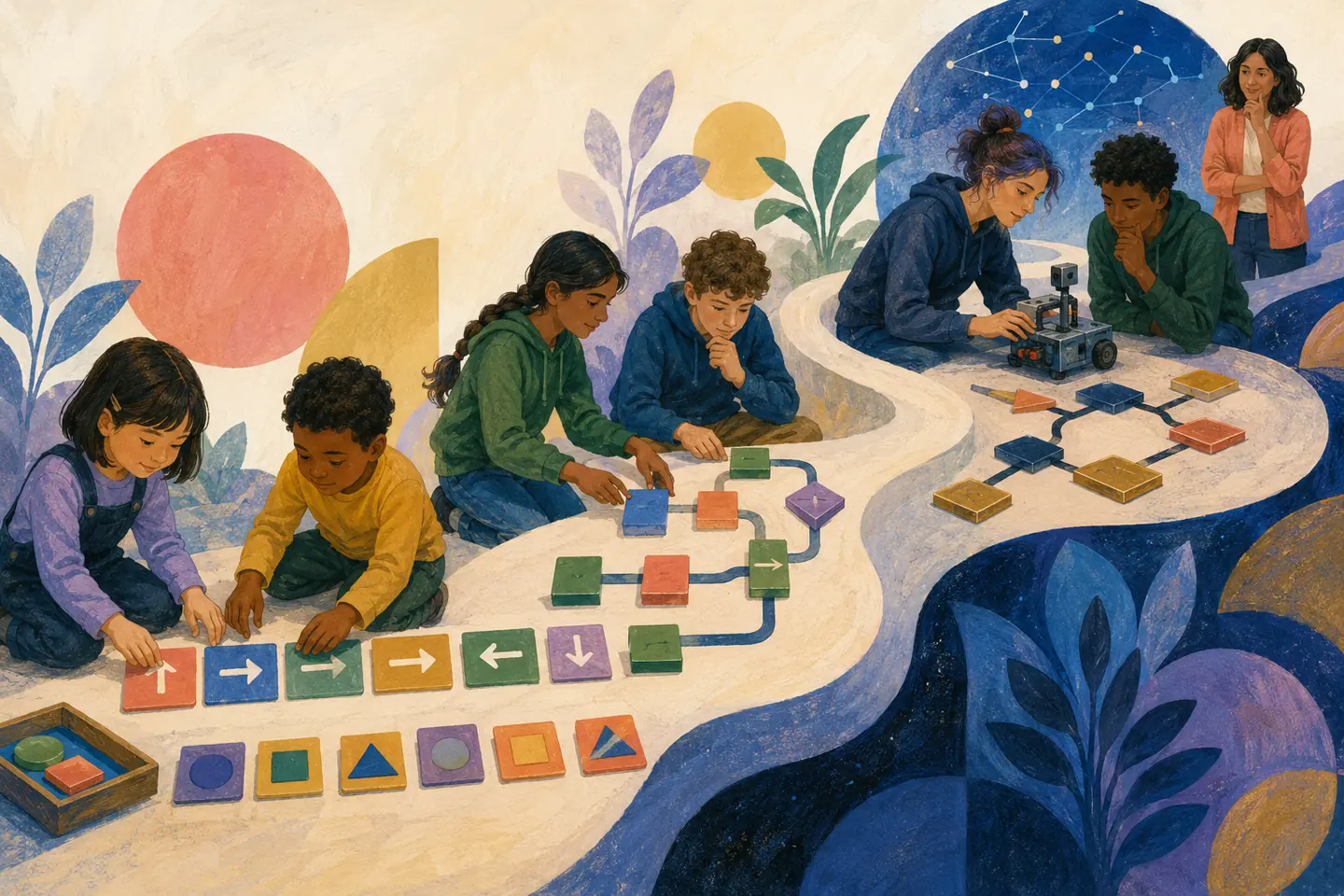
This distinction matters. A parent may hear “coding starts in school” and imagine a child learning software engineering. A student may finish a block-based class activity and conclude that computer science is either effortless or not for them. Both conclusions outrun the evidence.
Ontario uses code partly as a representation and problem-solving tool inside mathematics and science. The most useful family question is therefore not “Which programming language did you cover?” It is: Can the learner understand the problem, design and test a solution, explain what happened, and adapt the idea when the situation changes?
First, correct the timeline
| School year or publication | What changed | What it does not mean |
|---|---|---|
| 2020–21 | The revised Ontario Mathematics curriculum for Grades 1–8 came into effect. Its algebra learning includes coding in every grade, starting in Grade 1. | Coding did not begin only in Grade 2, and this was not a 2022 math change. |
| 2021–22 | The de-streamed Grade 9 Mathematics course, MTH1W, came into effect with mandatory coding, data literacy and mathematical modelling. | MTH1W is a mathematics course, not a complete Grade 9 computer-science course. |
| 2022–23 | Revised Science and Technology, Grades 1–8, and Science, Grade 9, added coding and emerging-technology learning. Ontario explicitly described this as building on the 2020 math curriculum. | The science revision did not create the first elementary coding expectations. |
The Ontario Grades 1–8 mathematics overview is the clearest current public summary. The original 2020 Ministry announcement says coding began in Grade 1. Ontario's 2022 STEM backgrounder says the science curriculum's coding work builds on that 2020 mathematics curriculum.
Curriculum publication, classroom implementation and mastery are three different things. Boards choose resources, teachers choose tasks and tools, and students enter with different prior opportunities. Seeing an expectation in a policy document proves what is to be taught; it does not by itself prove the depth, frequency or outcome in one classroom.
What the mathematics progression actually asks students to do
Ontario's public curriculum summary gives concrete grade examples. The examples below paraphrase that source; they are a map for families, not replacement wording for the full curriculum.
| Grade | Ontario's public coding example | The mathematical idea underneath | A reasonable “show me” task at home |
|---|---|---|---|
| 1 | Write code that orders a sequence of steps. | Sequence, direction, precision and cause-and-effect. | Give exact instructions for a person to travel from the door to a chair; fix an ambiguous step. |
| 2 | Develop code that moves multiple objects from one grid location to another. | Position, movement, coordination and parallel objects. | Move two tokens to different targets on graph paper, then explain the order. |
| 3 | Code a repeating operation, such as repeatedly adding 3 to form a pattern. | Repetition, number patterns and prediction. | Predict the fifth output before running the loop; change the step size and predict again. |
| 4 | Read and write code that creates geometric designs. | Angles, turns, transformations, repetition and spatial reasoning. | Draw a square with repeated move-and-turn instructions; diagnose a non-closing shape. |
| 5 | Use multiplication and ratios to code growing patterns. | Multiplicative relationships, scale and generalization. | Describe how figure 10 can be produced without drawing figures 1 through 9. |
| 6 | Use code in an optimization problem, such as maximizing area for a fixed perimeter. | Constraints, measurement, comparison and systematic search. | Generate several rectangles with the same perimeter and justify the best candidate. |
| 7 | Write code to simulate a mathematical situation, such as rotating or doubling a shape. | Simulation, transformations, variables and repeated change. | Predict a shape's position after several rotations, then alter one rule. |
| 8 | Write code to create a line or curve that falls between as many data points as possible. | Scatter plots, modelling, fit, error and interpretation. | Adjust a line against a small data set and explain why “best” needs a criterion. |
| 9 | Use coding to represent algebra dynamically; decompose problems; read, predict and alter code involving variables, parameters, equations, inequalities and constraints. | Algebraic relationships, decomposition, modelling, prediction and generalization. | Change a parameter in a linear model, predict the graph before execution, then test edge cases. |
The Grade 9 coding expectations are summarized in Ontario's 2021 MTH1W announcement; the complete, current policy source is the Ministry's Curriculum and Resources portal. The course's coding expectation is not tied to one language. Pseudocode, blocks, a spreadsheet or text-based code can all make mathematical relationships visible when the task and teacher's criteria permit them.
Four terms that should not be used as synonyms
Coding
Coding is expressing instructions in a form a computer or programmable system can execute. It includes reading, predicting, writing, changing, testing and debugging code—not merely typing syntax. In Ontario elementary mathematics, code is often a way to explore a pattern, transformation, data relationship or constraint.
Computational thinking
Computational thinking is the problem-solving work around the code: decomposing a situation, deciding what information matters, representing it, designing an algorithm, testing cases, debugging and judging whether the result answers the original question. Jeanette Wing's influential 2006 article framed it as a broadly useful way of formulating and solving problems, not as the ability to imitate a programmer.
Computational thinking can be practised without a computer. Sorting rules, paper algorithms, route instructions, decision trees and tracing a table of changing values can all reveal more thinking than dragging blocks while following a video.
Computer science
Computer science is a much broader discipline. It includes algorithms and programming, but also data, abstraction, computer systems, networks, cybersecurity, human-computer interaction and the social impacts of computing. The K–12 Computer Science Framework is a useful external map of that breadth. It is not Ontario policy, but it helps explain why one coding expectation inside math does not equal a full computer-science education.
AI literacy
AI literacy includes understanding what AI systems can and cannot do; recognizing the roles of data, models and probabilities; evaluating outputs and evidence; protecting privacy; identifying bias and unequal effects; and making responsible choices about when to use, question or refuse a system. Prompting a chatbot is one activity, not the whole literacy.
UNESCO's AI Competency Framework for Students organizes learning around a human-centred mindset, ethics, AI techniques and applications, and AI-system design. Long and Magerko's research synthesis, “What Is AI Literacy?”, likewise treats evaluation, interaction and critical understanding as competencies—not just technical construction.
Why teach coding in mathematics?
The province says coding is intended to reinforce mathematics, improve problem solving and develop technology fluency. In a well-designed lesson, code can make otherwise hidden relationships inspectable:
- a loop makes repeated addition or geometric construction explicit;
- a variable makes a changing quantity visible;
- a conditional makes a mathematical boundary precise;
- a simulation lets students test many cases;
- debugging forces a comparison between an intended rule and an actual result;
- changing one parameter shows what is invariant and what changes.
That rationale is plausible, but families deserve a careful evidence statement. A 2019 meta-analysis of 105 studies and 539 effects found a moderate average transfer effect from learning programming, with benefits reported in areas including creative thinking, mathematics and metacognition. However, effects were larger against no-treatment controls than against active alternatives, and published studies showed larger effects than grey literature. The authors therefore provide evidence of potential benefit, not proof that any coding app automatically improves general intelligence. See Scherer, Siddiq and Sánchez Viveros, *The Cognitive Benefits of Learning Computer Programming*.
A separate 2020 meta-analysis examined instructional approaches and conditions across programming studies. Its existence reinforces a practical point: how coding is taught matters. Clear explanation, purposeful tasks, feedback, opportunities to debug and gradually reduced support are more defensible than screen time for its own sake. See Scherer, Siddiq and Sánchez Viveros, *A Meta-Analysis of Teaching and Learning Computer Programming*.
Do not promise that coding will raise every mark, make every learner love mathematics, prevent automation from affecting a career or turn a child into a software developer. The evidence is averaged across settings, interventions and outcomes. Transfer to a distant skill is harder to establish than improvement on closely related tasks.
A better weekly learning loop
Whether the activity uses blocks, Python, a spreadsheet, a robot or paper, run the same six-part loop:
- Name the problem. What are we trying to find, make, predict or control?
- Represent it first. Use a sketch, table, pattern, equation, flowchart or plain-language algorithm.
- Predict. What should happen for a simple case, an edge case and an invalid case?
- Build in small pieces. Run a short section before adding more.
- Debug from evidence. Compare expected and actual states; change one cause at a time.
- Transfer and explain. Change a constraint or context, then explain why the revised solution works.
This loop keeps the mathematics in control of the technology. A beautiful animation with no prediction or explanation may be creative work, but it does not necessarily demonstrate the mathematical idea being assessed.
Activities by age band
Grades 1–3: precise instructions and patterns
- Human robot: one person follows instructions literally. Replace “go over there” with measurable steps and turns.
- Find the ambiguity: deliberately omit a step in a snack-making or getting-ready algorithm.
- Pattern machine: choose a start number and repeat a rule. Predict outputs before revealing them.
- Two-object grid: route two counters around obstacles. Ask which instructions can happen independently.
Keep sessions short and verbal. Reading speed, fine-motor control and mouse accuracy should not masquerade as computational understanding.
Grades 4–6: loops, geometry, variables and constraints
- Geometric artist: create a repeated move-turn design; identify the angle and number of repetitions.
- Growing-pattern generator: connect a figure number to a count; test whether the rule works at figure 20.
- Fixed-perimeter lab: list or generate possible rectangles and decide how “maximum” will be verified.
- Debug cards: give a correct goal and a flawed sequence. The learner must locate, explain and repair the first error.
Grades 7–9: models, data and changing parameters
- Transformation simulator: predict rotations, dilations or translations before execution.
- Line-fit challenge: adjust slope and intercept against data; define and compare error rather than choosing by eye alone.
- Budget or distance model: make quantities explicit as variables; test realistic and unrealistic inputs.
- Constraint change: after the first solution works, change one rule. Require a plan before edits.
- Code reading: hide the output and ask the learner to trace values line by line.
Grades 10–12 and beyond: deepen rather than merely accelerate
Ontario's mandatory Grades 1–9 math progression does not guarantee a continuous coding course in every later grade. Older learners can deepen through secondary computer-studies courses where offered, mathematics and science investigations, clubs or independent projects. Strong next steps include functions, structured data, testing, documentation, privacy and security, version history, data ethics and comparing a model's prediction with reality.
Avoid measuring advancement by language prestige. A student who can independently model, test and explain a problem in blocks may demonstrate more understanding than someone who pastes sophisticated Python they cannot audit.
Can the student actually do it independently?
A completed product cannot answer that question. Tutorials, peers, adults, autocomplete and generative AI can all produce polished output while hiding who made which decisions.
Use a low-pressure capability check, not a surprise interrogation:
- Cold start: give a small, familiar problem with a blank page or file. Ask for a plan before tools.
- Prediction: show a short program and ask what it will do before running it.
- Trace: ask the learner to record how one variable or object changes at each step.
- Seeded bug: insert one meaningful error and ask them to find the first mismatch between expected and actual behaviour.
- Constraint change: change the grid, pattern rule, input range or target. Can they adapt rather than restart a tutorial?
- Delayed recreation: return to the core task several days later with references available but without the original answer.
- Teach-back: ask what each major section does, why it is needed and which test creates confidence.
- Assistance record: have the learner label what came from a teacher, peer, reference, calculator or AI.
Look for control of the reasoning, not perfect memory. Independent capability can include a syntax reference, accessible input method, calculator or approved assistive technology. It means the learner chooses, monitors and verifies the process without another person or system supplying the essential reasoning.
A simple evidence scale
| Level | Observable evidence |
|---|---|
| Recognize | Identifies a familiar construct or correct output when shown options. |
| Guided | Completes the task with prompts, a worked example or a partially built solution. |
| Independent | Starts from a clear problem, builds and tests a valid solution with ordinary references but without solution-level prompting. |
| Transfer | Adapts the idea when the numbers, representation or constraint changes. |
| Explain and audit | Justifies choices, traces behaviour, finds limitations and evaluates someone else's or an AI-generated approach. |
| Create | Frames a worthwhile problem, designs and iterates a solution, documents evidence and reflects on trade-offs. |
Do not turn the levels into fixed identities. A learner can be independent with loops, guided with variables and only recognizing model bias. The level belongs to a specific capability under stated conditions.
AI, calculators and copied code: guardrails that preserve learning
Use an assistance ladder:
- First attempt: problem statement, paper, prior knowledge and approved accessibility tools.
- Reference: vocabulary, syntax sheet, formula sheet or documentation.
- Hint: one question or clue, without a finished method.
- Worked parallel example: same concept, different problem.
- Critique: tool reviews the student's approach without replacing it.
- Solution: inspect a complete answer only after an attempt, then close it and solve a new task.
For AI-generated code, require the student to:
- state what help was requested;
- predict the output;
- explain each unfamiliar line;
- test at least one normal, edge and invalid case;
- identify data, privacy, bias or safety risks relevant to the task;
- revise it for a changed constraint;
- keep an assistance note with the portfolio.
UNESCO's guidance on generative AI in education emphasizes human agency, privacy, inclusion and age-appropriate use. A school's teacher and academic-integrity rules still control submitted work. “The AI wrote it but I understand it now” is not automatically permission to submit it as original work.
Accessibility without lowering the intellectual target
Accessibility is not an afterthought and independence does not mean “without accommodations.” Ontario education providers have a duty to accommodate disability-related needs to the point of undue hardship. The Ontario Human Rights Commission explains that accommodations support equal opportunity while students still demonstrate bona fide academic requirements; they should be individualized and preserve dignity, inclusion and participation. See the OHRC Policy on accessible education.
Possible supports include:
- keyboard-only operation, switch access, eye gaze, touch or alternative pointing devices;
- screen readers, magnification, high contrast, captions and text alternatives for diagrams;
- speech-to-text, text-to-speech, AAC, a scribe or typed instead of spoken explanation;
- block code, text code, pseudocode or physical cards when the construct does not require one specific notation;
- reduced visual clutter, chunked directions, predictable routines and a low-distraction setting;
- additional processing time, breaks and saved intermediate work;
- a syntax or symbol reference when recall is not the target;
- paired work with recorded roles so the learner's contribution remains visible.
Start by naming the construct. If the target is algorithm design, allow a syntax sheet. If it is debugging, do not silently repair the bug. If it is mathematical explanation, accept an accessible communication mode. If a particular input method is itself an essential requirement, say why before assessment rather than moving the goalposts afterward.
When choosing web tools, check keyboard access, focus visibility, labels, contrast, zoom, captions and alternatives to drag-only actions. The Web Content Accessibility Guidelines 2.2 provide the relevant technical standard; compliance claims should be tested, not assumed from an accessibility logo.
What parents can ask the school
- Which curriculum expectation is this task addressing?
- Is the target mathematics, coding fluency, collaboration, computer science, or several of these?
- What tools and languages are students using, and are accessible alternatives available?
- Which parts should the student be able to do independently by the end?
- How are prediction, debugging, explanation and transfer assessed—not just the final product?
- What assistance is permitted from peers, tutorials, calculators and AI?
- How should assistance be documented?
- If my child is ahead, what deeper problem or audit can replace more of the same?
- If my child is stuck, which prerequisite is missing and what is the smallest next step?
What students can ask themselves
- Can I explain the problem without mentioning the app?
- Can I predict before I press Run?
- When the result is wrong, can I locate the first wrong state?
- Can I change the constraints without copying a new solution?
- Can I explain why my tests are enough—or where they are not?
- Can I identify which ideas came from me and which came from a source, person or AI?
- Could I show the same idea with a table, diagram, equation or plain-language algorithm?
Bottom line
Ontario's coding progression begins in Grade 1 mathematics in the 2020 curriculum, continues through Grade 8 and into the 2021 Grade 9 mathematics course, and was reinforced across science learning in 2022. The purpose is not typing for its own sake. The defensible goal is a learner who can represent a problem, reason about a process, test evidence, recover from errors, adapt ideas and use digital tools responsibly.
Judge that goal through small, fresh demonstrations under transparent conditions. Celebrate a polished project, but trust the learner's predictions, revisions, explanations and transfers more than the polish.
Sources
- Ontario Ministry of Education: Math curriculum for Grades 1–8 — current public overview, timeline and grade-by-grade examples.
- Ontario Newsroom: Ontario Introduces New Math Curriculum for Elementary Students — June 2020 announcement confirming coding from Grade 1.
- Ontario Ministry of Education: Curriculum and Resources — current official portal for complete elementary and secondary expectations.
- Ontario Newsroom: Modernized Math Course Prepares Students for Jobs of the Future and Life Skills — 2021 Grade 9 mathematics change.
- Ontario Newsroom: Supporting STEM Achievement in Ontario — explains that 2022 science coding built on 2020 mathematics.
- Ontario Newsroom: Ontario Modernizing School Science Curriculum — 2022 science and technology context.
- Wing: Computational Thinking — foundational conceptual article.
- K–12 Computer Science Framework — external, non-Ontario map of the broader computer-science discipline.
- Scherer, Siddiq and Sánchez Viveros: cognitive benefits meta-analysis — transfer estimates and important limitations.
- Scherer, Siddiq and Sánchez Viveros: teaching and learning programming meta-analysis — research synthesis on instructional approaches and conditions.
- UNESCO: AI Competency Framework for Students — student AI competency dimensions and progression.
- Long and Magerko: What Is AI Literacy? — research synthesis and competency framework.
- UNESCO: Guidance for Generative AI in Education and Research — agency, privacy, equity and age-appropriate use.
- Ontario Human Rights Commission: Policy on accessible education for students with disabilities — Ontario accommodation principles and academic requirements.
- W3C: Web Content Accessibility Guidelines 2.2 — accessibility standard for digital content and tools.
